
Less manual work on product data.
Your product images and the data you already hold are the starting point. AI Product Info builds features and product copy from them, which you review and carry into your catalogue.
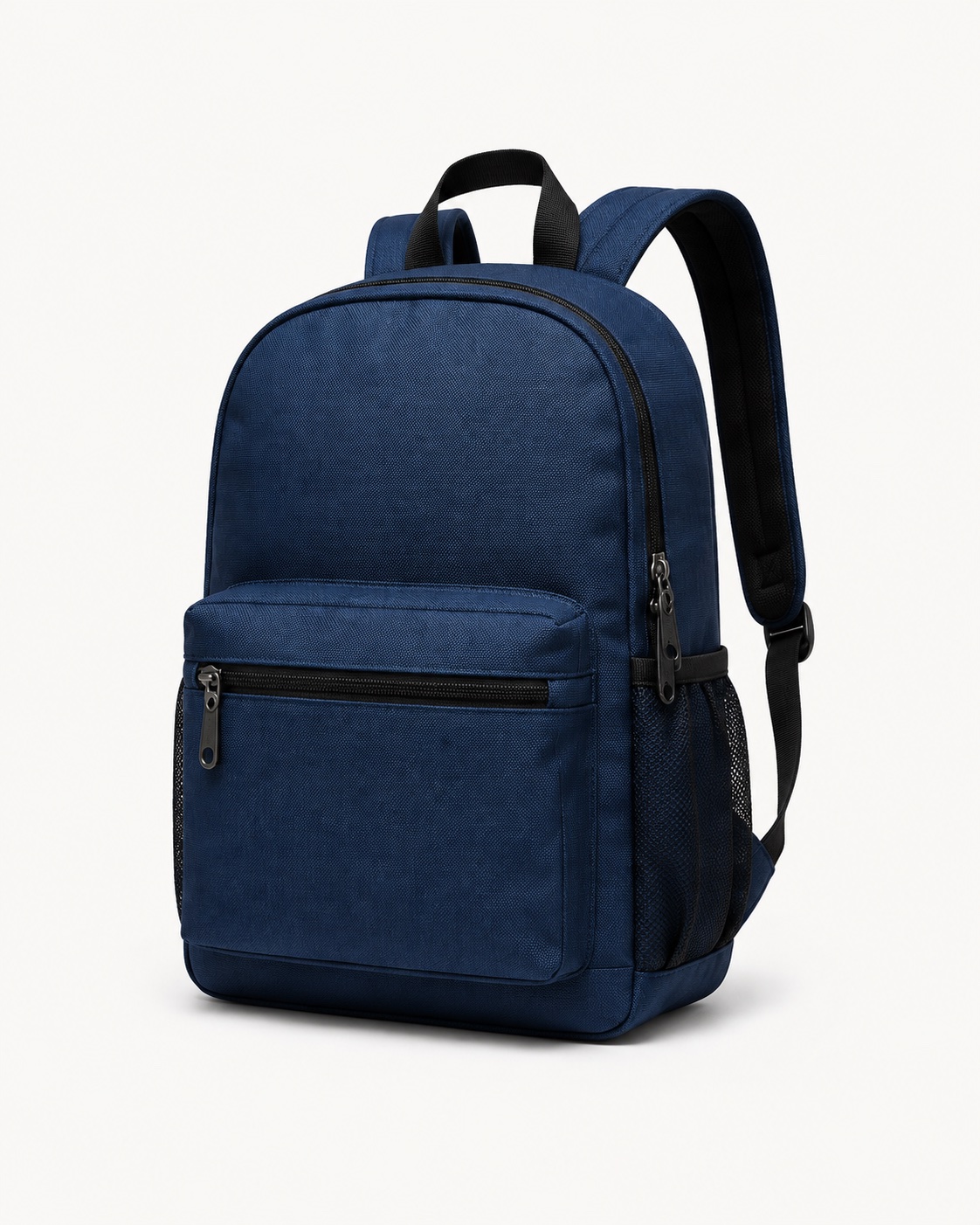
Bags & backpacks
Backpack in dark blue
- Colour
- Dark blue
- Pattern
- Plain
- Shape
- Rounded top
- Closure
- Zip
- Details
- Front pocket & side pockets
- Material look
- Textile
An illustration of possible results. The exact material composition needs evidence. Check the values before you apply them.
Features that fit the product
Existing data taken into account
Results you can trace
Applied directly in Shopify
Free in the playground, no account needed. The Shopify app starts with 10 free analyses per UTC month. See how it works
When product data takes more work than it should.
A supplier sends you bullet points. Features are missing from the catalogue. A new range needs copy. Start from what you already have.
Close the gaps in your catalogue
Fill in missing features from images and matching sources. Data you already hold gives the analysis its context.
Draft product copy
Use existing product information for descriptions. Review the suggestion before it reaches your shop.
One product is enough for a first impression.
- 01
Set the product and the task
Upload images or point to image URLs. Add the values you know and decide which features you need.
- 02
Let the gaps be filled
The AI reads images and existing data. Depending on the template, matching web sources are consulted too. Anything it cannot support stays open.
- 03
Review and use the result
Look at the values and whatever evidence came with them. The structured results then move into your own workflow.
A confidence score is the model's own estimate. It does not replace checking anything that matters. Where no score was produced, that stays visible as missing.
 1tm AI Product InfoIn the Shopify App Store
Fill in product data from images. Review it inside Shopify.
The app suggests titles, descriptions, product type, tags and features. Old and new values sit side by side. You apply only what fits your product.
Product images, the data already on the product and matching web sources give the context. Descriptions can be prepared in seven output languages.
- Free
- 10 analyses
- Standard
- 100 included
- Languages
- 7 outputs
- Batch
- up to 50 products
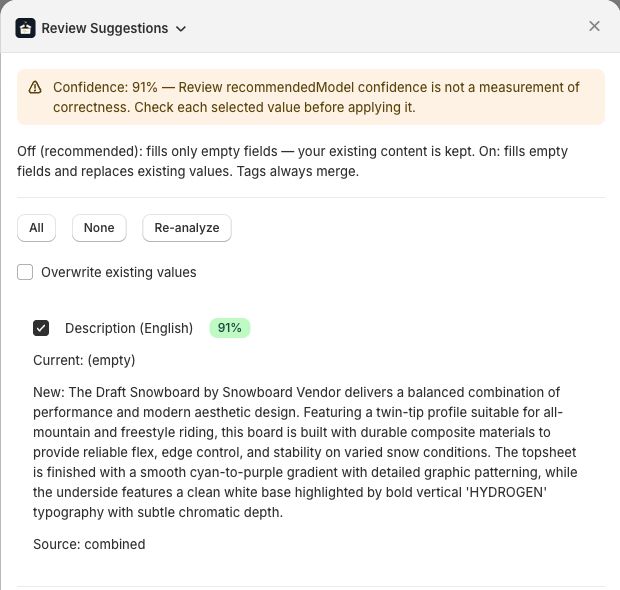
How the analysis fits your working day
You decide where the AI runs.
Where your product data is processed follows your own obligations. If compliance requires the EU, the analysis runs in Frankfurt. If model quality matters more, it runs globally. We settle that with you during setup rather than once for every customer.
EU regioneurope-west3
Processed through Google Vertex AI in Frankfurt. For companies whose rules require processing inside the EU.
- Data residency in the EU
- Processing agreement under Art. 28 GDPR
- A smaller choice of models, because Google does not release every Gemini model in every region
Global endpoint
Processed through Google AI Studio or Vertex AI with no region binding. For projects where model quality decides.
- Access to the newest Gemini models
- The current Flash model costs less per output token there
- No data residency commitment
Marking generated text under Art. 50(2) of the EU AI Act applies to both setups. For processing, see the privacy policy; for marking, see AI disclosure.
Connect the analysis to your own system.
Use the API or whichever connection suits your workflow. Every integration states what is available today and what is still being prepared.
Apify Actor
No infrastructure of your own. The AI Product Info actor runs on Apify, takes your product list and returns classified master data.
Learn more DeutschShopify app
1tm AI Product Info drafts product copy and features from images and the data already on the product. Review it in Shopify admin and apply the values you want.
Learn moreShopware app
Draft product descriptions, SEO copy and social content, then review what goes live. The Shopware app is in development. Request launch updates by email.
Learn moreNavision connector
The handover to Microsoft Dynamics NAV / Navision already runs over the API. A packaged connector is something we build on request.
Learn more DeutschMCP MCP server
An MCP server through which agents analyse product images and fetch attributes. Planned, not built. Join the waiting list.
Learn more DeutschAPI API
An image URL and an attribute schema to one endpoint. Back comes structured JSON with a confidence score per value, ready for your system.
Learn more DeutschFrequently asked questions
What does AI Product Info do?
AI Product Info uses product images, the data you already hold and matching web sources to draft features and product descriptions. A template decides which information is looked for. You review the results and carry them on as structured data.
How accurate is AI attribution?
Quality depends on the product, the images and the sources available. Suggestions can carry sources and confidence scores. A score is the model's own estimate, not a measured hit rate. Where no score was produced, that stays visible. What you apply, or automate, is decided by your workflow and its settings.
Which product data is extracted?
GTIN/EAN from barcodes and images, the product category under the GS1 GPC standard, and freely defined attributes per product type such as material, colour, size or dimensions. The schema can be adjusted per product category without any code change.
How does the Navision integration work?
Results arrive as structured JSON with confidence scores. Through the API they go straight into Microsoft Dynamics NAV/Navision. Confidence thresholds decide which values flow through automatically and which land on someone's desk first.
How fast is processing?
Runtime depends on the number of images, the template, the model you choose and any additional research. Test products typical of your range in the playground. For larger volumes we agree throughput and processing with you.
Do AI-generated product descriptions have to be labelled?
Art. 50(2) of the AI Act requires providers to make synthetically generated text machine-readable as AI-generated. We apply the marking at write time. Generated descriptions end with an empty, hidden HTML element carrying the IPTC value trainedAlgorithmicMedia, the same value C2PA and the large platforms use. Nothing of it is visible in your shop; the rule does not require a visible notice. Extracted values such as GTIN, material or colour stay unmarked, because they are read from a source rather than generated.
Where is my data processed?
AI Product Info supports Google AI Studio and Google Vertex AI. For companies with EU data residency requirements, processing can run through Vertex AI in an EU region such as europe-west3. That depends on the model: Google does not release every Gemini model in every region. Which model serves your region is settled during setup.
What does AI Product Info cost?
The playground is free to test with. Production use and API access run on enterprise terms. For a quote and credentials: info@1tm.solutions.
What could your product data become?
Try it with a single product. The playground shows you which values the analysis adds and what still needs checking.
Free. No account needed.